
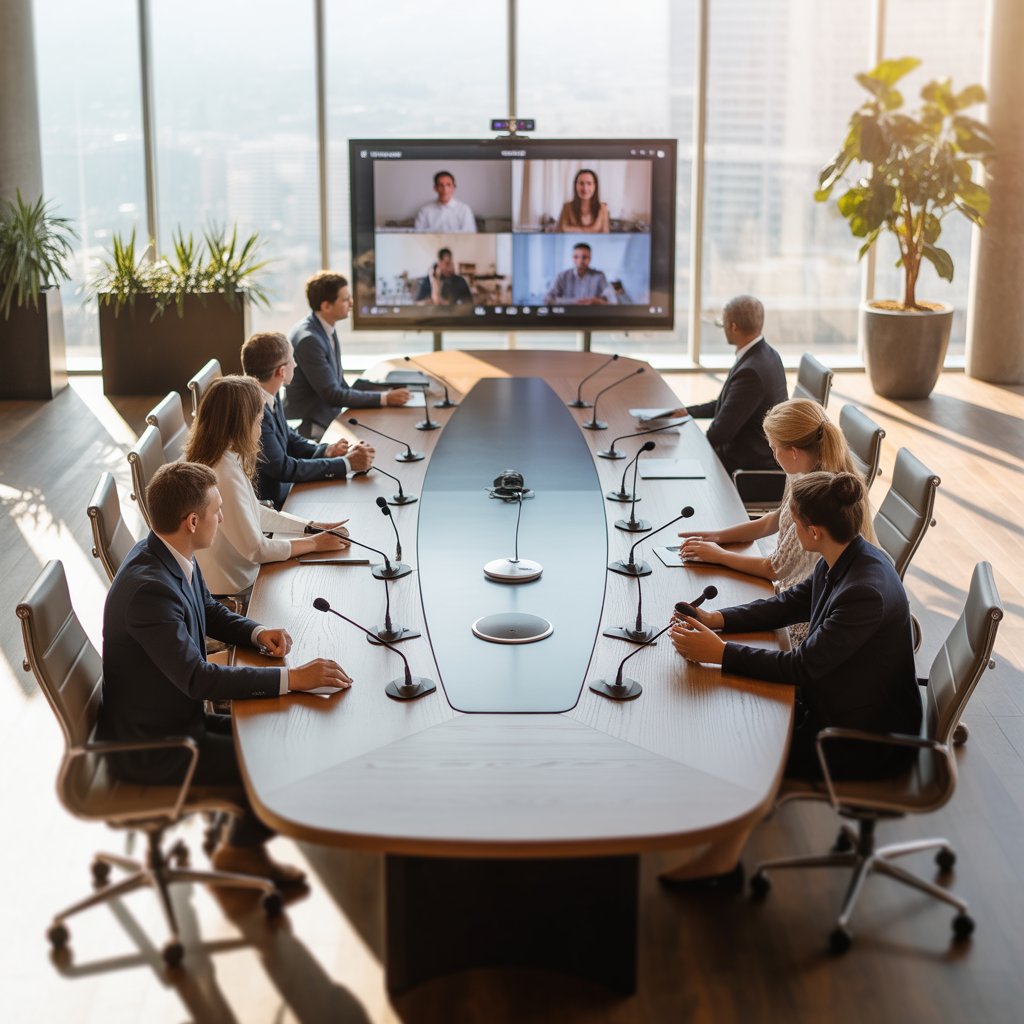
In today’s fast-paced business environment, effective communication has become the cornerstone of success. Organizations worldwide are transitioning from outdated meeting setups to advanced solutions that enhance collaboration and productivity. A digital conference system represents this evolution, offering businesses a comprehensive platform to conduct seamless meetings, whether participants are in the same room or scattered across different continents.
What is a Digital Conference System?
A digital conference system is an integrated audio-visual solution designed to facilitate professional meetings and collaborative discussions. Unlike conventional setups that rely on standalone microphones and basic audio equipment, these modern systems combine multiple technologies into a cohesive platform. They typically include digital microphones, centralized control units, speakers, cameras, and software that work together to create an immersive meeting experience.
These systems utilize digital signal processing to deliver crystal-clear audio, eliminate background noise, and ensure every participant can be heard distinctly. The technology has transformed how organizations conduct board meetings, training sessions, educational seminars, and international conferences by providing reliability, flexibility, and superior performance.
The Disadvantages of Traditional Conference Rooms at Present
Traditional conference rooms often struggle to meet the demands of modern business communication. Many organizations still rely on analog equipment that produces poor audio quality, with feedback loops, echoes, and muffled voices creating frustration among participants. When someone at the far end of a conference table speaks, their words frequently get lost in the room’s acoustics, leading to constant requests for repetition.
Another significant challenge involves cable clutter and complex setups. Conventional systems require extensive wiring, making installation cumbersome and room reconfiguration nearly impossible. When teams need to adjust seating arrangements or modify the room layout, the inflexible infrastructure becomes a major obstacle.
Compatibility issues further complicate traditional setups. Connecting laptops, smartphones, or tablets often requires multiple adapters and technical troubleshooting, wasting valuable meeting time. Participants spend the first ten minutes of every meeting trying to get their devices to connect, which impacts productivity and creates a poor impression with clients or partners.
Limited scalability presents yet another problem. As organizations grow, their communication needs evolve, but traditional systems cannot easily accommodate additional microphones, speakers, or participants. Expanding capacity often means replacing the entire setup, resulting in significant costs and disruption.
The Main Features of the Digital Conference System
Modern conference solutions come packed with features that address the shortcomings of traditional setups while introducing capabilities that enhance the entire meeting experience.
Exceptional Audio Quality
Digital processing technology ensures pristine sound quality by eliminating background noise, reducing echoes, and automatically adjusting volume levels. Advanced algorithms detect when someone speaks and activate the appropriate microphone while muting others, preventing audio interference and creating a natural conversation flow.
Video Integration Capabilities
Today’s systems seamlessly integrate high-definition cameras that automatically track speakers, ensuring remote participants can see who’s talking. This visual component adds context to conversations and makes virtual attendees feel more connected to in-room discussions.
Centralized Management
Control units allow meeting organizers to manage all aspects of the conference from a single interface. They can adjust volume levels, mute participants, control cameras, share content, and monitor connection quality without requiring specialized technical knowledge.
Flexible Microphone Options
Organizations can choose from various microphone types including gooseneck models for fixed positions, wireless units for flexibility, boundary microphones for table placement, or ceiling-mounted arrays for discreet installations. Each option serves specific room configurations and meeting styles.
Recording and Archiving
Built-in recording capabilities capture both audio and video, allowing organizations to document important meetings, create training materials, or provide archives for those who couldn’t attend. Some systems offer automatic transcription services that generate searchable text from recorded sessions.
Remote Participation Support
Integration with web conferencing platforms enables remote participants to join meetings with the same audio and visual quality as in-room attendees. This feature has become essential as hybrid work models gain popularity.
What is the Development Trend of Digital Conference Systems?
The conference technology landscape continues evolving rapidly, driven by changing work patterns and technological advancement. Several trends are shaping the future of these systems.
Artificial Intelligence Integration
AI-powered features are becoming standard, including automatic speaker identification, real-time language translation, intelligent noise cancellation, and meeting summarization. These capabilities reduce administrative burdens and make meetings more accessible to global teams.
Cloud-Based Management
Organizations are moving toward cloud-managed systems that allow IT teams to monitor, update, and troubleshoot equipment remotely. This approach reduces maintenance costs and ensures systems always run the latest software versions with the newest features and security patches.
Enhanced Security Protocols
As cyber threats evolve, manufacturers are implementing robust encryption, multi-factor authentication, and secure communication protocols. Businesses handling sensitive information need assurance that their discussions remain confidential and protected from unauthorized access.
Touch-Free Control Systems
The recent focus on hygiene has accelerated the adoption of voice-activated controls and gesture-based interfaces. Participants can adjust settings, share content, or control cameras without physically touching shared surfaces.
Standardization and Interoperability
Industry leaders are working toward greater compatibility between different manufacturers’ equipment. This standardization allows organizations to mix and match components, choosing best-in-class solutions for each aspect of their conference setup.
Application of Streaming Media Technology
Streaming media has revolutionized how organizations conduct and distribute meeting content. Modern digital conference systems leverage streaming technology to broadcast meetings to unlimited audiences, whether they’re watching live or accessing recorded sessions later.
Real-time streaming allows companies to conduct town halls, product launches, or training sessions that reach thousands of employees simultaneously, regardless of location. The technology automatically adjusts stream quality based on each viewer’s internet connection, ensuring smooth playback even in bandwidth-constrained environments.
On-demand streaming provides long-term value by creating content libraries. New employees can access onboarding sessions, sales teams can review product training, and executives can reference past strategic planning meetings. Advanced systems include searchable transcripts that let users jump directly to relevant segments instead of watching entire recordings.
Interactive streaming features enable remote participants to ask questions, participate in polls, or provide feedback during live broadcasts. This interactivity transforms passive viewing into active participation, maintaining engagement levels that rival in-person attendance.
Conference Room AV Solutions
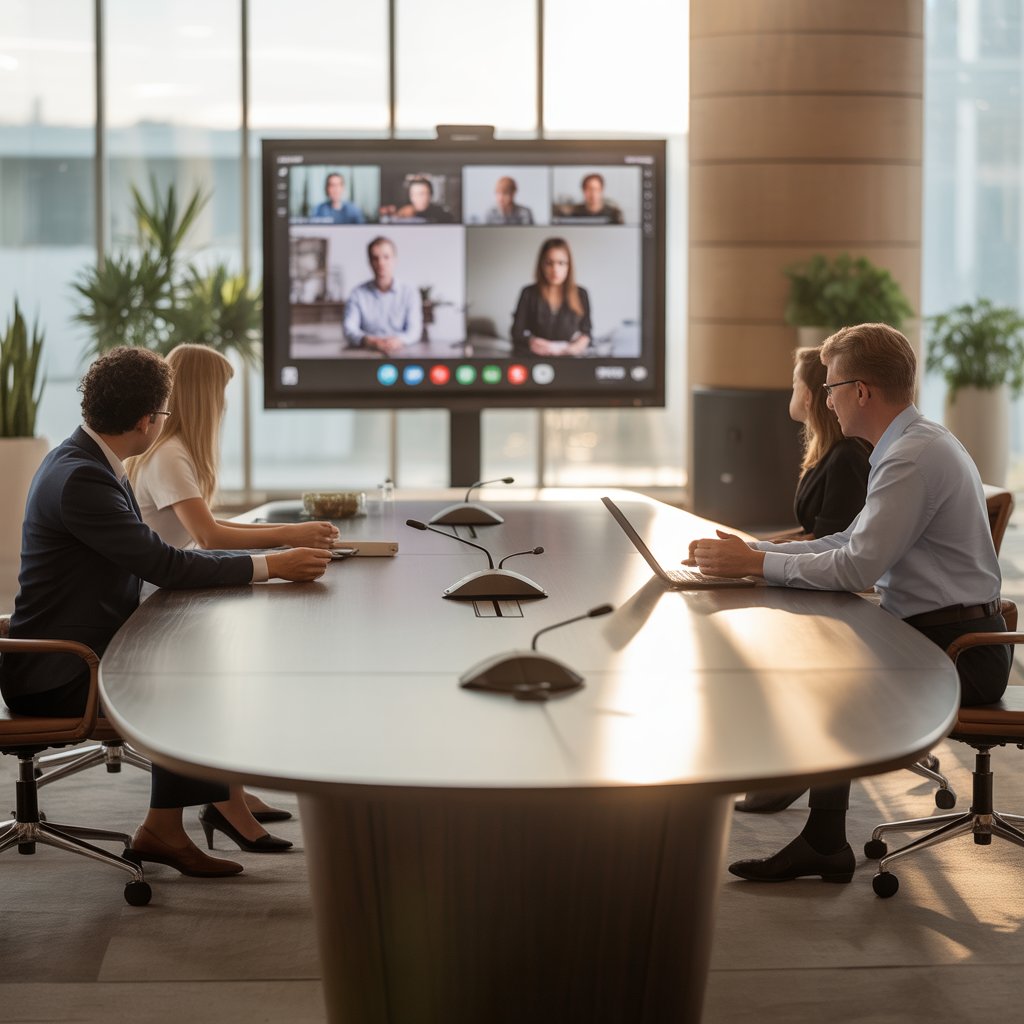
Creating an effective conference environment requires thoughtful integration of multiple audio-visual components. Successful implementations balance technical capability with user-friendly operation.
Display Technologies
Modern conference rooms incorporate large-format displays or projection systems that show presentation content, video feeds from remote participants, and collaboration tools. Dual-display setups allow simultaneous viewing of presentations and participant video, enhancing the hybrid meeting experience.
Content Sharing Systems
Wireless presentation systems eliminate the frustration of connection issues by allowing participants to share screens from any device instantly. Some solutions support simultaneous content sharing from multiple users, enabling more dynamic collaboration during brainstorming sessions.
Lighting Solutions
Proper lighting ensures in-room participants appear clearly on camera for remote viewers. Adjustable LED panels provide consistent, flattering illumination that adapts to different times of day and reduces harsh shadows that occur with standard overhead lighting.
Room Acoustics
Sound-absorbing panels, strategic furniture placement, and architectural design elements work alongside electronic systems to create optimal acoustic environments. Proper acoustics prevent echoes and ensure microphones capture clear audio without requiring excessive amplification.
Environmental Controls
Integration with building automation allows conference systems to adjust lighting, temperature, and window shades automatically when meetings begin. These environmental factors significantly impact comfort and participant focus during extended sessions.
Versatile Applications
The flexibility of digital conference systems makes them valuable across numerous industries and use cases.
Corporate Environments
Businesses use these systems for board meetings, departmental updates, client presentations, and cross-functional collaboration. The professional appearance and reliable performance create positive impressions with clients and support productive internal communication.
Educational Institutions
Universities and training centers deploy conference technology for distance learning, guest lectures, interdepartmental meetings, and administrative discussions. The ability to record sessions provides students with valuable review materials and accommodates different learning styles.
Government Organizations
Public sector entities rely on these systems for council meetings, inter-agency collaboration, public hearings, and emergency response coordination. Many government implementations include specialized features for public broadcasting and official record-keeping.
Healthcare Facilities
Hospitals and medical centers use conference technology for telemedicine consultations, continuing education, multi-site case reviews, and administrative meetings. Security features protect patient information while enabling collaboration among specialists at different locations.
Event Venues
Convention centers, hotels, and dedicated event spaces offer conference systems as essential amenities. Professional-grade equipment helps these venues attract business clients and command premium rental rates.
Professional Digital Conference Equipment for Every Need
Organizations can select from various equipment tiers based on their specific requirements, room sizes, and budget constraints.
Entry-Level Solutions
Small meeting spaces and huddle rooms benefit from compact systems that include a central speakerphone with integrated microphones, basic camera capabilities, and simple connectivity options. These solutions provide significant improvements over laptop-based conferencing at accessible price points.
Mid-Range Systems
Medium-sized conference rooms typically require dedicated microphone units, ceiling or table-mounted speakers, HD cameras with automatic framing, and control panels for easy operation. These systems accommodate 6-15 participants comfortably and integrate with popular web conferencing platforms.
Enterprise-Grade Installations
Large boardrooms and auditoriums demand sophisticated equipment including multiple camera angles, distributed microphone arrays, professional audio processing, large-format displays, and comprehensive control systems. These installations often include redundant components to ensure mission-critical meetings proceed without technical interruptions.
Portable Conference Solutions
Some organizations require flexibility to set up conference capabilities in various locations. Portable systems pack professional-grade equipment into travel cases, allowing teams to create temporary conference environments at off-site venues, customer locations, or outdoor events.
Superior Digital Audio Conferencing
Audio quality remains the most critical element of any conference system. When participants cannot hear clearly, meetings become unproductive regardless of how impressive the visual components might be.
Echo Cancellation Technology
Advanced algorithms detect and eliminate echoes that occur when microphones pick up sound from speakers in the same room. This technology creates natural conversation flow by preventing the disorienting feedback that plagues inferior systems.
Automatic Gain Control
Dynamic volume adjustment ensures soft-spoken participants get amplified appropriately while preventing loud voices from causing distortion. This feature maintains consistent audio levels throughout meetings without requiring manual adjustments.
Beamforming Microphone Arrays
Sophisticated microphone systems use multiple elements to focus on active speakers while rejecting noise from other directions. This directional sensitivity dramatically improves speech clarity in rooms with ambient noise from ventilation systems or adjacent spaces.
Frequency Response Optimization
Professional audio equipment reproduces the full range of human voice frequencies, preserving the natural tone and inflection that convey meaning beyond just words. This fidelity helps remote participants detect subtle cues like hesitation, enthusiasm, or concern.
Noise Suppression Algorithms
Intelligent processing identifies and reduces background sounds like keyboard typing, paper shuffling, or traffic noise while preserving speech. These systems adapt to different acoustic environments automatically.
Easy Integration and Operation
The best conference technology balances powerful capabilities with intuitive operation that doesn’t require specialized training.
Single-Touch Meeting Start
Modern systems allow users to begin scheduled meetings with one button press. The equipment automatically connects to the appropriate conference bridge, adjusts camera angles, activates microphones, and lowers display screens.
Unified Communication Integration
Seamless connection with platforms like Microsoft Teams, Zoom, Webex, and Google Meet ensures organizations can use their preferred communication tools without compatibility concerns. Calendar integration displays upcoming meetings on room control panels and reserves equipment automatically.
Mobile Device Control
Smartphone and tablet apps allow meeting organizers to control conference equipment from anywhere in the room. They can share content, adjust camera positions, or mute participants without returning to a central control panel.
Simplified Cable Management
Modern systems minimize visible cables through in-table connection boxes, wireless transmission, and organized cable pathways. This clean appearance looks professional and reduces tripping hazards.
Remote Monitoring and Support
IT teams can diagnose and resolve many technical issues remotely without disrupting meetings or sending technicians to conference rooms. Proactive monitoring identifies potential problems before they impact users.
Reliability and Durability
Organizations invest significant resources in conference systems and expect them to perform consistently for years.
Enterprise-Grade Components
Professional equipment uses commercial-grade materials and components designed for daily use in demanding environments. Unlike consumer products, these systems withstand constant use without degradation in performance.
Redundancy Features
Critical installations include backup power supplies, duplicate signal paths, and failover capabilities that maintain operation even if individual components fail. This redundancy proves essential for organizations that cannot afford meeting disruptions.
Regular Firmware Updates
Manufacturers release updates that add features, improve performance, and address security vulnerabilities. Systems with automatic update capabilities stay current without requiring manual intervention.
Extended Warranty Programs
Many vendors offer comprehensive warranty coverage and support packages that protect organizations’ investments. These programs typically include expedited replacement for failed components and priority technical support.
Environmental Resilience
Quality equipment operates reliably across wide temperature ranges and humidity levels. Robust construction protects sensitive electronics from dust, vibration, and the occasional coffee spill.
Frequently Asked Questions
What size organization benefits most from implementing a digital conference system?
Organizations of all sizes gain value from these systems, though the specific equipment varies. Small businesses with 10-20 employees benefit from entry-level solutions that improve remote meeting quality, while enterprises need sophisticated installations for large conference rooms and multiple locations. The key consideration isn’t company size but rather how frequently the organization conducts meetings that involve remote participants or require professional presentation capabilities.
How much does a typical digital conference system installation cost?
Costs vary dramatically based on room size, feature requirements, and equipment quality. Small huddle room setups start around $2,000-5,000 for basic functionality, mid-range installations for standard conference rooms typically range from $15,000-40,000, and large boardroom implementations can exceed $100,000 when including high-end audio, multiple cameras, large displays, and sophisticated control systems. Most organizations find that the productivity improvements and reduced travel costs justify the investment within the first year.
Can existing conference rooms be upgraded, or do they require complete renovation?
Most conference rooms can be upgraded without major renovation. Modern systems work with existing furniture, displays, and infrastructure in many cases. Wireless technologies and strategic equipment placement minimize the need for extensive cable runs through walls and ceilings. However, rooms with poor acoustics benefit from acoustic treatment, and very outdated spaces might require display upgrades or improved network connectivity for optimal performance.
What ongoing maintenance do these systems require?
Digital conference systems require relatively minimal maintenance compared to their capabilities. Regular firmware updates keep software current, periodic cleaning of microphones and cameras maintains optimal performance, and occasional checks of cable connections prevent intermittent issues. Many organizations establish simple quarterly inspection routines that take less than an hour per room. Professional support contracts provide peace of mind for organizations without dedicated AV staff.
How do these systems accommodate users who aren’t technically savvy?
User-friendliness is a primary design goal for modern conference technology. Most systems feature intuitive touchscreen controls with clear icons, one-button meeting start capabilities, and automatic configuration for common scenarios. Organizations can create custom presets for frequent meeting types, so users simply select “video conference” or “presentation mode” rather than adjusting individual settings. Brief orientation sessions help staff become comfortable with basic operations, though well-designed systems require minimal training.